PDF to Word
 PDF to Excel
 PDF to HTML
 PDF to Text
 PDF to PDF/A
 PDF to PowerPoint
 PDF to JPG
 HEIC to JPG
 PDF to PNG
 OCR Converter
 Word to PDF
 JPG to PDF
 Excel to PDF
 PDF Converter
 PNG to PDF
 PowerPoint to PDF
 DICOM to PDF
 Merge PDF
 Split PDF
 Delete Pages
 Rotate PDF
 Rearrange PDF
 PDF Editor
 Crop PDF
 DOCX Editor
 Edit PDF Text
 Compress PDF
 Sign PDF
 Redact PDF
 Fill in PDF Forms
 Flatten PDF
 Annotate PDF
 ASK PDF
 PDF Compare
 PDF Viewer
 Office Viewer
 Text Compare
 Validate PDF/A
The Future of PDFs and Digital Documents in the Workplace
Feb 2 2026
Productivity


7 min
Share this post


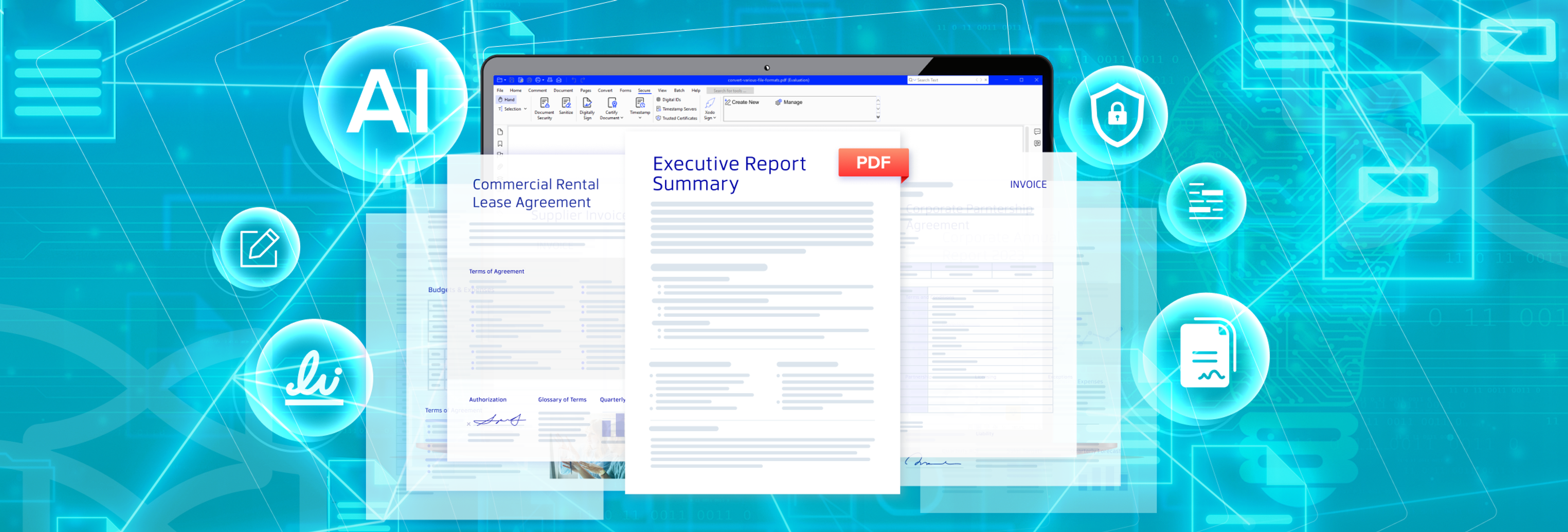
Find out how digital documents are changing, why teams are moving past static PDFs, and how connected workflows and platforms like Xodo can support faster, more reliable document workflows.
PDFs sit at the center of daily work. Teams depend on them for contracts, proposals, onboarding, compliance records, and every other document type in between.
Work has changed, though. Teams span time zones. Approvals move quickly. Documents flow across devices.
PDFs and digital documents are now being geared towards fast, collaborative workflows that can leave you struggling to keep up.
Advanced PDF solutions, however, can bridge that gap. Xodo PDF Studio, for example, can work at your pace across platforms and devices to edit PDFs, review documents, batch process repetitive tasks, and help future-proof your documents.
We're taking a closer look at the nature of digital documents you work with everyday and what your team can do to stay ahead. We'll cover:
- How PDFs and digital documents are evolving
- What a modern workflow model looks like
- Trends shaping the future of digital documents
- How to future proof your digital document workflows
- How Xodo fits in and ties it all together
How PDFs and digital documents are evolving
PDFs have been a core format across many professional fields for years. Teams relied on them because the files stayed consistent. They could be shared across devices faithfully. This made PDFs the default choice for records, contracts, forms, and reports.
At the same time, each industry developed its own challenges as documents became larger and more complex.
PDFs helped teams meet storage needs and security requirements, but they also created friction. Static digital documents made version control harder. It slowed teams that needed faster review cycles.
Digitization alone does not always remove administrative friction. Our research on the American Paperwork Burden Index found that some states with strong digital government ratings still impose substantial paperwork burdens.
How different industries use PDFs
Each sector depends on PDFs for reliable formatting and long term storage, but the limits of static files make daily tasks slower.
Industry | Common PDF Use | Key Pain Point |
|---|---|---|
Legal | Contracts, filings, case documents | Tracking changes across many versions of legal documents creates delays |
Finance | Invoices, statements, reports | Large PDF archives are slow to search during audits or month end work |
HR | Onboarding forms, policy documents | Manual data entry from PDFs increases errors and extra work |
Education | Assignments, worksheets, reports | Students and teachers often lack tools to edit or annotate PDFs easily |
AEC | Drawings, plans, project updates | Large PDF files are slow to review and mark up across devices |
Many teams reach a point where traditional PDFs no longer support the speed or accuracy their work requires.
These gaps are driving the shift toward digital documents that support PDF editing, reviews, and automation in one workflow.
The shift toward smarter digital documents
A digital document is now no longer just a fixed copy. It moves with your workflow and responds to the users and systems that interact with it.
Modern teams expect:
- Quick collaboration and easy annotations
- Instant edits without exporting new versions
- Mobile ready documents that work on phones and tablets
- Secure electronic signatures instead of wet ink
These "intelligent" documents eliminate the limits of static PDFs. They contain structure, context, and data that support faster work.
Intelligent documents solve industry pain points
Most teams struggle with version control, slow reviews, and repeated data entry. Intelligent documents address these problems with advanced features that let you work in one flow:
- Metadata such as owner, department, record type, and retention period
- Automated logic such as required signatures and routed approval paths
- AI driven features such as extraction, tagging, summarization, and translation
- Integrations that link documents with CRM, ERP, HRIS, finance, or cloud storage platforms
These features reduce friction at each stage of the workflow and help teams move files forward without creating new versions.
Intelligent documents have become part of a living document workflow, not the end of it. They can solve industry pain points easily.
Legal teams can track versions and redact sensitive text. Finance workers can extract values for reporting. Educators and students can annotate and edit PDF files.
HR teams can prefill forms with employee data. AEC professionals can load drawings faster and keep revisions organized.
Tools such as Xodo support these needs by keeping edits, comments, and approvals in one connected workflow.
What a modern digital document workflow looks like
Modern PDF workflows follow a connected path. Digital files can move from creation and review to approval and storage in one system.
A connected document management system offers several key benefits. It means quicker approvals, less printing, and more secure electronic file sharing.
For many teams, these changes feel small, but they add up to fewer delays and fewer errors across the year.
Managing a digital document workflow from end to end
A clear PDF lifecycle makes document work predictable and organized. In most cases, a simple model can look something like this:
- Create or capture: Create a digital file or turn a paper file into a scanned document.
- Collaborate and review: Colleagues review and provide feedback.
- Approve and sign: Content gets put through an approval process.
- Store and organize: After approval, the document gets saved and stored.
- Protect and secure: Add encryption, apply file permissions, or add password protection.
- Analyze and optimize: Extract data for reporting and performing data analysis.
Simple and predictable stages provide a stronger base for automation and digital tools. This sets the stage for the broader trends shaping how digital documents evolve in the workplace.

Trends shaping the future of digital documents
Several shifts in technology, security, and user expectations shape how organizations work with digital documents. Below are some of the major trends and digital transformations document processes are going through.
AI native workflows
AI tools are moving document work from manual reading to automated interpretation. Common use cases include:
- Summarizing long PDFs so reviewers see key points
- Surfacing names, dates, amounts, and other structured data
- Flagging missing fields or inconsistent values
In the next few years, it's likely that AI assisted review will become standard for contracts, policies, and high volume forms.
API driven and composable workflows
Documents no longer sit apart from other systems. They connect to CRM, ERP, HRIS, and finance tools through APIs and low code automations. This lets teams:
- Create documents from system data
- Push signed contracts back into CRM records
- Sync invoices with accounting tools
- Trigger workflows when a document reaches a certain status
Business teams can adjust simple flows without long development cycles, keeping document work aligned with changing needs.
Security and digital trust
As more work moves online, expectations around security grow. Organizations face more questions:
- Who can access each document?
- How are identities are verified?
- Where data is stored and for how long?
Zero trust principles, stronger identity checks, and complete audit trails are becoming standard features in digital document platforms.
Accessibility and inclusivity
Many organizations now treat accessible documents as a basic requirement. Common enhanced accessibility steps include:
- Screen reader friendly tagging
- Adding clear heading structures
- Creating alt text for important images
- Using high contrast templates
- Providing multilingual versions
Sustainability and paper reduction
Digital document workflows also support sustainability goals. Teams that reduce printing and physical storage can benefit directly.
- They cut paper and toner costs
- Reduce the need for filing cabinets and physical storage space
- Avoid time spent on manual filing and retrieval.
Over time, this turn towards a paperless office supports both efficiency and environmental targets.
How to future proof your document workflows
Future proofing starts with focused actions that make PDF workflows easier to manage at scale. Here are some actionable items you can start with:
Strategic actions
- Build a simple plan for how your team creates, reviews, stores, and secures documents.
- Treat documents as data assets that connect to other systems.
- Choose PDF tools that support cloud storage and cross‑platform access.
- Bring IT, legal, and security into early planning.
- Use templates and naming rules to keep files consistent.
- Set clear permissions and retention rules for sensitive content.
Practical starting points
- List your top high volume or high risk workflows, like contracts or invoices.
- Pick one workflow as your starting point.
- Use a PDF solution that supports PDF editing, review, signing, and storage.
- Create short training sessions with steps from your own process.
- Review your folders and metadata to clean up outdated structures.
- Collect feedback to adjust the next workflow you update.
You don't need to redesign every step in the document process at once. Start small, then expand.
Metrics to track
Measurements help you tack your progress and find gaps. Useful metrics to track:
- Time from creation to approval
- Number of manual PDF tasks
- Frequency of missing fields or rework
- Number of paper based steps removed
- User feedback on ease of use
Once you see where your team is struggling, you can refine your business operations where needed. Teams often use tools Xodo PDF Studio to bring these steps into one place.
How Xodo fits in and ties it all together
Xodo PDF Studio supports intelligent documents by bringing creation, editing, review, signing, and storage into one connected system.
Xodo can easily adapt to a document workflow:
- Review and annotate PDF content: Add comments, highlights, and markup easily.
- Sign and gain approvals: Add electronic signatures or use the Xodo Sign integration for legally compliant signatures.
- Precise data extraction: Convert PDF data, copy tables and text for use in Excel or CSV.
- Organize files accurately: Edit PDF metadata and keep documents easy to find.
- Batch process: Automate PDF tasks for multiple PDFs at the same time.
- Protect sensitive information: Add encryption, permissions, and password settings help control access.
- Get cross platform compatibility: Use Xodo PDF Studio on either Windows, macOS and Linux.
- Xodo Document Suite access: Gain access to the entire Xodo suite of tools on mobile, desktop and online.
Xodo PDF Studio has a feature set perfect for editing, reviewing, signing, and storing PDFs.
You can streamline your workflow feeling confident that your digital document productivity can withstand any changes that come your way.
Strengthen how you work using Xodo PDF Studio
PDFs continue to play an important role in daily work, but the expectations around them have changed. Teams now look for connected workflows, simple review tools, and better control over access.
Xodo PDF Studio can help your team adapt to this shift. Create files, review content, edit text, and batch process PDF tasks as needed.
Organizations that adopt a connected workflow with a tool like Xdoo PDF Studio can gain an advantage against any future changes in your document practices.
Ready to adjust your digital document workflow? Try Xodo PDF Studio or Xodo Document Suite and work on your documents from start to finish.


Related Articles

How to Secure a PDF Before Sharing
If you're sharing a PDF with personal details, don't send it off without securing it first. In this guide, we're showing you how to secure a PDF on Windows, macOS, or Linux with Xodo PDF Studio. Add passwords, set restrictions, apply encryption, and share protected documents easily.

What is a PDF File: Everything You Need to Know
Learn what a PDF file is, why it keeps your layout consistent across devices, and how the format works for modern workflows. Get a look at why many are using it to share, print, and store documents as well how to work with the PDF using Xodo PDF Studio.
Glossary of File Formats Explained
Not sure which file format to use—or why it matters? This detailed glossary guide breaks down the most common types of text, audio, image, video formats and more, how to choose the right one, and answers to your most common questions.