PDF to Word
 PDF to Excel
 PDF to HTML
 PDF to Text
 PDF to PDF/A
 PDF to PowerPoint
 PDF to JPG
 HEIC to JPG
 PDF to PNG
 OCR Converter
 Word to PDF
 JPG to PDF
 Excel to PDF
 PDF Converter
 PNG to PDF
 PowerPoint to PDF
 DICOM to PDF
 Merge PDF
 Split PDF
 Delete Pages
 Rotate PDF
 Rearrange PDF
 PDF Editor
 Crop PDF
 DOCX Editor
 Edit PDF Text
 Compress PDF
 Sign PDF
 Redact PDF
 Fill in PDF Forms
 Flatten PDF
 Annotate PDF
 ASK PDF
 PDF Compare
 PDF Viewer
 Office Viewer
 Text Compare
 Validate PDF/A
Adobe Acrobat Pricing Explained: Plans, Costs, and Alternatives in 2026
Jun 5 2026
News


10 min
Share this post


Adobe Acrobat pricing in 2026 starts at $14.99/month for Standard, $19.99/month for Pro, and $24.99/month for Studio on annual individual plans billed monthly. This guide breaks down the plans, hidden cost factors, and when Xodo PDF Studio may be a simpler alternative.
Choosing the right Adobe Acrobat plan can feel harder than it should be.
Adobe now offers multiple Acrobat plans for individuals and teams, including Acrobat Standard, Acrobat Pro, and Acrobat Studio. Each plan has different pricing, billing terms, PDF features, AI options, and admin features. For teams, the cost can rise quickly as each new user adds another monthly license.
This guide breaks down Adobe Acrobat pricing in 2026, explains what you get with each plan, and shows where alternatives may make more sense. If your main need is advanced PDF editing on desktop without a long-term subscription, Xodo PDF Studio is worth comparing.
For users comparing Acrobat mainly because of subscription cost, Xodo PDF Studio's perpetual license option is one of the clearest differences.
Jump to:
- Adobe Acrobat pricing table
- What each Acrobat plan includes
- Why Acrobat pricing can feel complicated
- What to check before choosing a plan
- Xodo PDF Studio pricing and perpetual license options
- Adobe Acrobat vs Xodo PDF Studio
- Frequently asked questions
How this pricing guide was researched
This article is based on:
- Adobe's official pricing pages for individual and business plans
- Adobe's FAQ on Acrobat Pro 2024, the non-subscription option
- Xodo PDF Studio pricing
Pricing reflects Adobe’s public US list pricing checked in June 2026. Promotions, regional pricing, and enterprise agreements may vary.
How much does Adobe Acrobat cost in 2026?
Adobe plan | Current US price* | Billing model | Cost per year | Best for |
|---|---|---|---|---|
Acrobat Standard | $14.99 / month | Subscription | $179.88/year | Individuals needing basic PDF editing tools |
Acrobat Pro | $19.99 / month | Subscription | $239.88/year | Professionals needing advanced PDF editing, OCR, redaction... |
Acrobat Studio | $24.99 / month | Subscription | $299.88/year | Users who want Acrobat Pro features plus AI tools, PDF Spaces, and Adobe Express |
Acrobat Standard for teams | $16.99 / user / month | Subscription | $203.88/user/year | Small teams needing basic PDF editing with centralized license management |
Acrobat Pro for teams | $23.99 / user / month | Subscription | $287.88/user/year | Teams needing advanced PDF tools, admin controls and shared workflows |
Acrobat Studio for teams | $29.99 / user / month | Subscription | $359.88/user/year | Teams that want AI‑assisted workflows and Adobe Express integration |
Acrobat Pro 2024 desktop | $324 one‑time purchase | One‑time upfront purchase, fixed 3‑year term | $108/year | Users wanting desktop PDF editing without a subscription |
*Note: Prices can change by region, promotion, billing term, and checkout path. Always check Adobe’s current pricing page before making a purchase.
The math matters more as your team grows. Five Acrobat Pro for teams licenses can cost about $1,439.40 per year before taxes. Ten licenses can cost about $2,878.80 per year before taxes.
That may be fine for organizations that need Adobe’s full platform. For smaller teams, contractors, educators, solo professionals, and desktop-first users, the recurring cost can become the main reason to compare alternatives.
Choosing the right Acrobat plan for PDF editing
Choosing the right Acrobat plan comes down to how deep your PDF work goes, and whether you’re editing solo, across a team, or inside Adobe’s broader cloud ecosystem.
1. Acrobat Standard ($14.99/month)


Good for light editing, but limited once PDFs get complex.
Acrobat Standard covers the basics most individuals need for everyday documents, but it stops short of professional‑grade workflows.
Best for basic use:
- Edit PDFs (text and images, but limited depth)
- Convert PDFs to Word, Excel, and PowerPoint
- Fill and sign forms
- Desktop access on Windows (plus web and mobile through the subscription)
If your PDFs start as digital files and stay simple, Standard is usually enough. The moment you deal with scanned documents, sensitive data, or revision tracking, its limits show quickly.
2. Acrobat Pro ($19.99/month)


The common choice for users who work with scanned, sensitive, or versioned PDFs.
Acrobat Pro adds the advanced tools missing from Standard, including OCR, redaction, and document comparison. It’s the plan most people mean when they say “Adobe Acrobat,” and it’s priced accordingly.
Best for professionals who need:
- Full PDF editing (text, images, layout adjustments)
- OCR for scanned or image‑based PDFs
- Redaction and advanced security controls
- Side‑by‑side document comparison
- Advanced form creation
- Broader export and conversion options
- Desktop support on Windows and macOS (plus web and mobile via subscription)
If PDFs are part of your job, not just an occasional task, Acrobat Pro is the practical baseline. It’s built for accuracy, compliance, and document control, not just convenience.
The main question is cost. At $19.99 per month on an annual individual plan billed monthly, Acrobat Pro totals about $239.88 per year before taxes. For a team, Acrobat Pro for teams at $23.99 per license per month totals about $287.88 per user per year before taxes.
3. Acrobat Studio ($24.99/month)


Extends Acrobat Pro into AI‑assisted and content workflows.
Acrobat Studio includes all Acrobat Pro features, then layers on tools designed for analysis, collaboration, and content reuse rather than pure PDF editing.
Adds newer capabilities:
- AI‑powered document summaries and insights
- PDF Spaces for multi‑document workflows
- Adobe Express integration for turning PDFs into presentations or visuals
- Expanded collaboration features
Studio makes sense if PDFs are inputs to broader work like reports, presentations, or collaborative reviews. If your focus is editing and compliance, Acrobat Pro is often enough.
4. Acrobat for Teams (from $16.99/user/month)


Same tools, different licensing model.
Team plans mirror individual features but add the infrastructure needed to manage multiple users.
Includes:
- Admin console
- Centralized billing
- License assignment and reassignment
- Team‑level collaboration and storage features
The tools don’t fundamentally change, but the cost structure does. Team plans become necessary once you need visibility, control, or shared ownership across users.
5. Acrobat Pro 2024 desktop license ($324 for 3-year access)
A separate path with strict boundaries.
Acrobat Pro 2024 is Adobe’s non‑subscription option, but it behaves very differently from a perpetual license.
Key characteristics:
- One‑time upfront purchase
- Desktop‑only (no Acrobat web or mobile services)
- Fixed 3‑year license term
- Security updates only
- No feature upgrades
- No advanced Acrobat Sign workflows
This is not a traditional perpetual license. When the three‑year term ends, access ends.
This option works for users who want desktop editing and don’t care about new features or cloud services.
Why Adobe Acrobat pricing can feel confusing
Adobe Acrobat pricing can be confusing because the monthly number does not always tell the full story.
A few things to check before buying:
- Billing term: Some prices are annual plans billed monthly, not month-to-month plans.
- Cancellation terms: Annual commitments may include cancellation rules after the refund period.
- Plan type: Individual, team, student, and business plans can have different pricing.
- AI features: AI Assistant may be included in some plans or offered as an add-on in others.
- Online services: Some desktop-only options may not include Acrobat web and mobile services.
- Team seats: Each user usually adds another recurring license cost.
- Region: Pricing can vary outside the US.
Before choosing a plan, list the PDF tasks you actually do each week. Then match the plan to those tasks. This helps you avoid paying for a larger bundle just because it sounds more complete.
What should you check before choosing an Adobe Acrobat plan
Before you choose a plan, check how the software will fit your actual PDF work:
- Do you need Standard, Pro, or Studio?
Standard handles light editing. Pro is required for OCR and redaction. Studio adds AI tools.
Why this matters: Acrobat pricing increases as feature depth increases.
- Do you need team admin controls?
You'll need team plans that add license management and the ability to assign user roles.
Why this matters: Higher costs here are tied to oversight, not better PDF output.
- Do you need advanced signing workflows?
Basic signing is included. More advanced compliant signing flows will require Adobe Acrobat Sign.
Why this matters: Signing capabilities and requirements vary more than most users expect.
- Do you need offline desktop editing?
Subscription plans include cloud access. Acrobat Pro 2024 is desktop‑only.
Why this matters: Offline‑only tools limit flexibility, but Acrobat Pro 2024 is time‑ and feature‑limited.
- Do you want subscription or one‑time value?
Subscriptions spread costs over time. Consider whether your team may scale or not.
Why this matters: License structure directly affects long‑term cost.
- Do you need Linux support?
Adobe supports Windows and macOS, but not Linux.
Why this matters: Operating system requirements can narrow options for your team.
- Will pricing scale across multiple users?
Subscriptions scale per user. Team plans multiply total spend.
Why this matters: Acrobat costs often grow gradually and quietly as teams expand.
When to compare Adobe Acrobat alternatives
You should compare Adobe Acrobat alternatives if your main goal is to edit, convert, annotate, OCR, secure, and manage PDFs without paying for a broad subscription bundle.
This is especially true if you:
- Prefer desktop software over browser-based workflows
- Want PDF tools that work offline
- Use Windows, macOS, or Linux
- Need a lower yearly cost
- Want a perpetual license option
- Do not need Adobe’s AI or creative tools
- Want a simpler PDF editor for daily document work
This is where Xodo PDF Studio fits naturally. It is built for users who need advanced PDF tools on desktop, including PDF editing, annotation, OCR, form creation, redaction, batch processing, digital signatures, and document security.
How does Xodo PDF Studio pricing compare?
Xodo PDF Studio offers monthly, annual, and perpetual license options.
Xodo PDF Studio plan | Price | Cost per year | Savings vs Acrobat Standard | Savings vs Acrobat Pro |
|---|---|---|---|---|
Monthly subscription | $19.99/user/month | $239.88/user | Acrobat not available without yearly plan | Acrobat not available without yearly plan |
Yearly subscription | $9.99/user/month | $119.88/user | $60/year | $120/year |
Perpetual license | $240/user | One-time lifetime purchase | N/A | Acrobat not available through a true perpetual version |
Volume discounts | Available for teams and enterprise customers | Depends on team size and volume | Depends on team size and volume | Depends on team size and volume |
The yearly plan is the clearest lower-cost option for many users. At $9.99 per month billed yearly, Xodo PDF Studio costs about $120 per year. That is lower than Acrobat Pro’s listed individual annual cost of about $239.88 per year.
The perpetual license is the bigger difference for buyers who dislike ongoing subscriptions. Instead of paying every month, you can make a one-time purchase for the desktop software.
This Xodo plan guide explains everything you need to know about subscriptions and pricing to choose with confidence. Explore each plan by cost, access, limits, and use case to find the best fit for your workflow and platform needs.
If Nitro is also on your shortlist, check out our Nitro PDF alternative comparison that looks at licensing, platform support, and desktop workflow fit.
Adobe Acrobat vs Xodo PDF Studio: which option is right for you?
Neither choice is right for everyone. The better fit depends on your workflow, budget, and how much of the Adobe ecosystem you truly need.
- Choose Adobe Acrobat if you need Adobe’s full PDF platform, cloud services, e-signature workflows, AI features, and enterprise-style admin options.
- Choose Xodo PDF Studio if you want a powerful desktop PDF editor with offline access, Windows, macOS, and Linux support, lower annual pricing, and a perpetual license option that helps reduce long-term subscription costs.
Frequently asked questions
1. How much does an Acrobat subscription cost?
As of June 2026, Acrobat for individuals cost:
- Acrobat Pro: $19.99/month
- Acrobat Standard: $14.99/month
- Acrobat Studio: $24.99/month
2. Is Adobe Acrobat Pro more expensive than Acrobat Standard?
Yes. Acrobat Pro costs more because it includes advanced PDF tools beyond Acrobat Standard. Pro subscription is $19.99/user/month while the Standard subscription is $14.99/user/month.
3. Is there a free version of Adobe Acrobat?
Adobe Acrobat Reader is free for viewing, printing, sharing, and commenting on PDFs. Advanced editing, conversion, OCR, redaction, and many PDF productivity features require a paid Acrobat plan.
4. Can you still buy Adobe Acrobat Pro as a one-time purchase?
Yes, you can still buy Adobe Acrobat Pro 2024 as a one-time purchase but it comes with limitations. The license gives you access for 3 years. It isn't a traditional perpetual license and doesn't update regularly or come with web or mobile access.
5. What is the cheapest Adobe Acrobat paid plan?
For individual users, Acrobat Standard is the lowest-priced paid Acrobat plan listed by Adobe, starting at $14.99 per month on an annual plan billed monthly. The final price can vary by region, billing option, and promotion.
6. Is Xodo PDF Studio cheaper than Adobe Acrobat Pro?
Xodo PDF Studio’s yearly plan is listed at $9.99 per month billed yearly, or about $120 per year. Adobe Acrobat Pro is listed at $19.99 per month on an annual plan billed monthly, or about $239.88 per year. Xodo PDF Studio also offers a perpetual license option.
7. Does Xodo PDF Studio offer a perpetual license?
Yes. Xodo PDF Studio offers a one-time perpetual license for $240 per user. This gives you a subscription-free option for the purchased desktop software version. By comparison, Adobe Acrobat Pro at $19.99/month costs about $719.64 over three years before taxes.
8. Who should choose Xodo PDF Studio instead of Adobe Acrobat?
Xodo PDF Studio is a good fit for users who want advanced PDF editing, OCR, redaction, forms, signatures, batch processing, and offline desktop access without a broad subscription bundle. It is especially useful for individuals and teams that prefer lower annual pricing or a perpetual license option. For a closer look, check out our Xodo PDF Studio vs Adobe Acrobat Pro comparison.
Conclusion
Adobe Acrobat Pro is a strong fit if you need advanced PDF tools, Adobe cloud services, e-signature workflows, AI features, or centralized business purchasing.
The key is knowing which plan matches your actual work. Acrobat Standard may be enough for basic edits. Acrobat Pro is better for scanned files, redaction, comparison, and advanced PDF workflows. Acrobat Studio adds AI and content tools that some users may not need.
If you mainly need a strong desktop PDF editor for offline editing, converting, OCR, redaction, forms, signatures, and secure file handling, Xodo PDF Studio gives you a simpler path with annual and perpetual license options.


Related Articles
Best Nitro PDF Alternative in 2026: Why Choose Xodo PDF Studio
Looking for a Nitro PDF alternative in 2026? This guide shows how Xodo PDF Studio compares with Nitro PDF so you can choose the right option. Compare both PDF editors based on licensing, pricing, platform support, buying flexibility and workflow fit.


New: Translate PDFs on Android with Xodo Mobile
We’re excited to announce Xodo Mobile’s latest update that comes with built-in PDF translation! This feature can translate PDF text into another language with a single tap, preserving your formatting and original file. Check out details on everything you need to start using the feature.
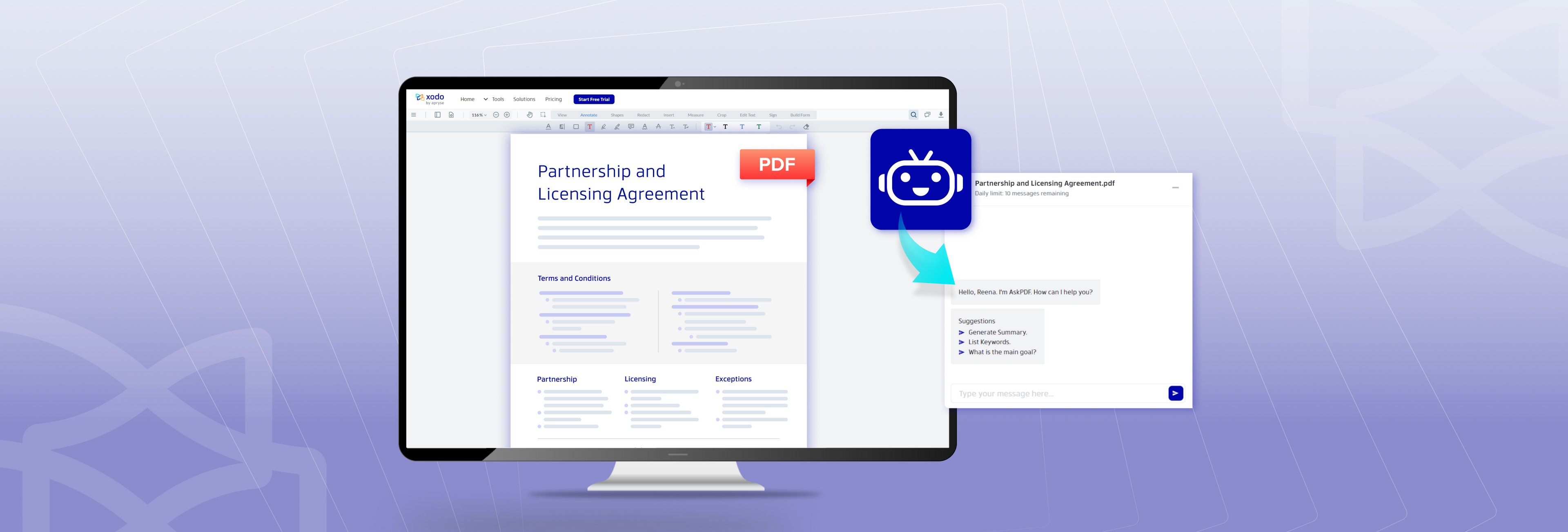
Introducing AskPDF – the New AI PDF Summarizer by Xodo
Experience the power of AI with our brand new AI PDF summarizer tool - AskPDF! Better understand the content in long PDFs, receive quick summaries of your PDF, and ask questions about your document. Discover how AI changes the way you interact with your PDF!